Showing posts with label VSCO. Show all posts

Tuesday, 5 June 2018

Valencia, Spain

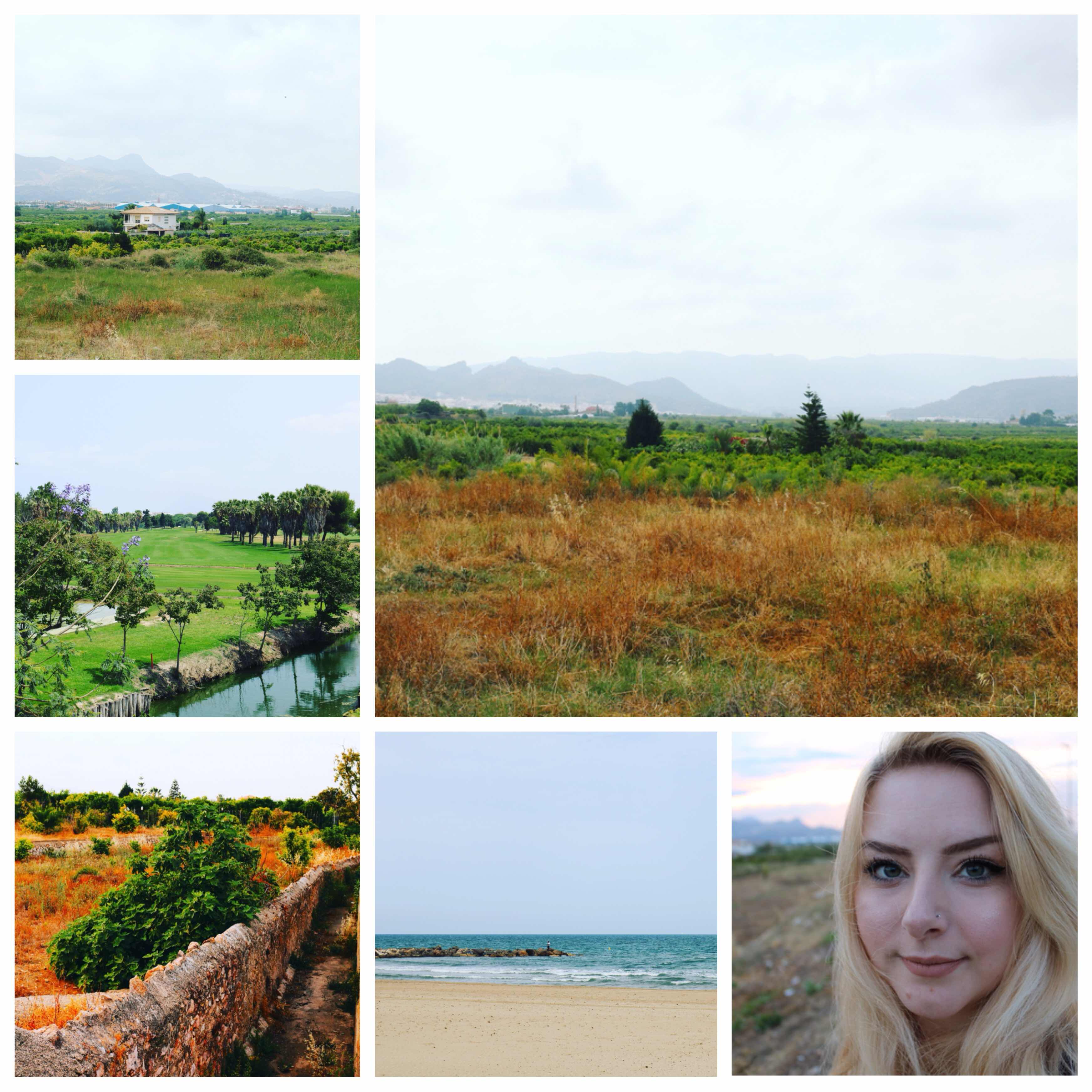
Hello guys; I’m sorry that it’s been a while, but to be honest sometimes life is made to lived outside of routine. At the end of the month of May, I spent a week in Spain, more specifically in Valencia. The last time that I visited was fourteen years ago, so it was surprising how much of the main sights that I remembered from that previous visit, although that said, it was nice to have a proper camera to capture the memories on. One of things that I loved about where we stayed was that it was in a village rather than a town; a lovely way to see the area without feeling like a stereotypical tourist. There was a beautiful view of the surrounding mountains and rural countryside, which I enjoyed attempting to capture whilst on a walk every day, morning and evening. It was definitely better using my DLSR than my iPhone, simply because the colour range, depth of field and general tools made the image look as close to the view as possible, whereas my iPhone only managed to capture the overall details rather than the full details. Alongside visits to the beach, the town, local shopping centres and wandering the streets, one of my favourite sights that I visited during this trip was the Collegiate Basilica of Gandía. I read, slept and ate a whole lot during the week break and I have no regrets, even though I feel heavier than ever, oops. 

I said in a blog post right at the start of this year that I wanted to travel more, which I do feel as though I’m managing to meet that life target, having explore two countries this year so far and looking to end of this year and beginning of next year, there are three more countries ready to explore in my plans. Spain is a country that I wasn’t desperate to visit, as I have visited before, but having now revisited, I can say that for sure I would like to explore the country further; there’s something lovely about the people, the food, the sights and the lifestyle in general that appeals to me. I enjoyed exploring the streets, the markets, the central squares and seeing little independent shops and cafés at every corner, but ultimately I loved the slower pace, the chilled atmosphere. My favourite pastime was watching the sun set over the mountains, which I spent literally days attempting to capture correctly on my camera; there was something so calming about sitting and watching. I have a habit of trying to do too much of everything, such as work, blogging, reading, etc and so it was nice to slow myself down and simply appreciate life. I didn’t do as many of the tourist-like things that I generally wold when exploring as I was travelling with an older (and physically disabled) person, but actually I didn’t mind too much. It was nice to slow down and enjoy company the world rather than tick off a list. I’ve definitely caught the travel bug now. Until my next trip!




Saturday, 15 April 2017

Essential Apps for Bloggers


Phonto

Although it's not an app that I reach for constantly, it's a useful app to download. It's an alternative editing software app, but the main reason that I've included it on this list is because it's great for if you want (or need) to add a watermark to your photographs. As you'll see in the screenshots above, I've added an @apearlydream in white to show you how it can be used. From a text-based perspective, this app is fantastic as not only is it free, but it allows you to choose the colour of your and font of your text, but the size, shape, angle... It's great if you want to make a watermark work for any photo and I suspect many of the millions who watermark on instagram will use this app as it's so easy to use and very customisable.

Facebook

This app is not a must unless you want to make use of your page within the app. I, myself have only recently got back into making an effort on my Facebook blogger page. I admit I don't love it as much as I've started to love Twitter, or my beloved instagram but it is a great way of updating your social media. Bloggers can advertise for free on Facebook and other social media so I feel like any form of advertising that's free should be something utilised fairly frequently. One downside to having a Facebook page is that it's harder to reach out to new followers unlike on instagram or twitter, but it's another great way of registering a business, brand or website.

Repix

Personally I think this is a really useful app, it's definitely an essential for me. When I'm taking photographs for my blog I always edit them afterward and this app is great for adding little girly touches to photography. It's free to download but some of its features are only useable via a purchase. I've never purchased anything as I like the free 'flares' that you can draw freehand onto images for a nice effect. If you look at the screenshot above, you'll see that there is a lot of the photographic bokeh technique across the blog photograph; the reason why I love this app so much is that it adds a special something to photographs without having the need to be a fantastic photographer or use fancy equipment. It's so easy to use, you literally select flares and then pull you finger across the image. I feel like it makes my blog photography a little more interesting.

VSCO

I never used to see the point of VSCO as I felt that whatever it could do, could be done via instagram as it's ultimately a filter app. However, now I don't think I'd be able to create nice blogger photographs without it; I love how it converts bland colours into bright, vibrant textured photographs with simply the choice of a filter. I like the studio aspect of the photographs too as this means I can plan how to edit my photographs so that they have a similar layout and colour scheme; I'm not massively keen on themes but I do like to have some consistency. The filter F2 is my favourite, although I love how easy to use VSCO is. With the touch of a finger on a screen, it's simple to change the brightness, contrast, crop, saturate, temper and grain an image. It's a basic version of photoshop that even allows you to choose the size and quality of your edited image. Since I've rediscovered this app, my blogging photography has improved so much without the need to buy expensive equipment.

Twitter

I've only recently joined the twitter hype, several years too late... I've learnt in the past few months how much utilising various forms of social media can really help with exposing your blog to more traffic; since becoming more active on twitter, not only have I found many more interesting bloggers within the community to follow and blogs to enjoy, but also a way of engaging with others easily. It's also free promotion for your posts and a great way to gain inspiration through following those such as @Bloggeration @FemaleBloggerRT @TheGirlGangHQ or @BBlogRT to name a few accounts that promote your blogs to their followers, basically free advertising from within the blogging community. I deliberately made my twitter handle the same as my blog and other social media so that all of my accounts are easy to find and there's a consistency in all areas.

Instagram

This app is definitely an absolute must for any blogger; there are so many bloggers, new and old, of all kinds of genres from fashion and beauty to lifestyle and fitness all over this app. It's such a fantastic way to put yourself and your photography, your blog, likes and opinions out through using a mostly visual layout. As blogging is such a visual way of expressing yourself, it works really well alongside instagram as a way of promoting your work for free. It allows you to build up a network and focus on your branding; I'm not a huge fan of instagram themes, but I do like to have some consistency in my feed which will ensure that the search option will suggest profiles and feeds that match with mine, that will interest and inspire me. Likewise with my other social media, it made sense to match my profile name to my blogging name as it does make it clear where to find me across all areas of the internet.


Saturday, 18 March 2017

How I Edit Photos on an iPhone


The above three photographs show the three main stages of how I edit using my iPhone. The first image is the flatlay that I prepare on a cream fluffy rug, (that cost me £8), as having a nice background genuinely makes all the difference to your photography. I've found that having a neutral coloured background really makes the items you're photographing stand out. I studied photography at A Level and at university but I actually take all of my blog and instagram photos using the camera on my iPhone 6S. If you can't afford lots of expensive equipment there are definitely ways around it. On my iPhone I've made a folder (called Essentials) of really useful photography apps (other than instagram) to use for blogging. The first app I use is VSCO which is great for adjusting brightness, contrast and natural filters. My preferred filer is F2 as it really picks up the cream background of the rug and makes the whole photograph look much less dull. Although there was actually nothing wrong with the original photograph, I feel like with the filter it does look much more put together and appealing to an audience.


If I need to make a collage of photos; for example when I write posts about what photographs I've posted to instagram in a month I like to try and condense the amount of photographs in a post as I'm aware of how image heavy posts can be to an audience. The app Fotor is so easy to use for beginners upwards as it clearly lays out different layouts for different amounts of photographs. Once you've picked a layout (for example of 9 photos) you literally pick 9 photos and it slots them in for you. From there you can choose curved or straight edges and different border thicknesses, which is another nice feature. I use this app regularly and have a lot of success with it as it's so simple to use.


Another holy grail app in my collection for blogging is Repix; I actually found out about it through reading a post by Lauren about different ways to edit photos for instagram and as a result I've found an app that I really love. It does quite a lot of different things, but you need to purchase more access. I have the standard access which suits me fine as the only option I use is the Flares effect. It allows me to draw light flares with my fingers that give off a bokeh style effect, one that's often used by photographers. I'm my own worst critic and thought that my photography was really lacking and desperately needed improvement. Through editing using these apps I feel like my blog photography has come a long way; one of the best parts of blogging is learning as you go along, and learning from reading and admiring other blogs, which is exactly what I did. Yes, I did study photography but I still had (and have) so much to learn, which I'm trying my best to embrace. Hopefully this will help someone out there that's struggling to take the perfect photograph! Much love xx


Back To Top
Designed By Hello Manhattan